Dens and patrols — organizing scouts into groups
How dens (Cub Scouts) and patrols (Scouts BSA) work, how to create a patrol or assign a den leader, and how to move scouts between groups.
Admin > Dens or Patrols — the label and the page itself work differently depending on your troop's program.
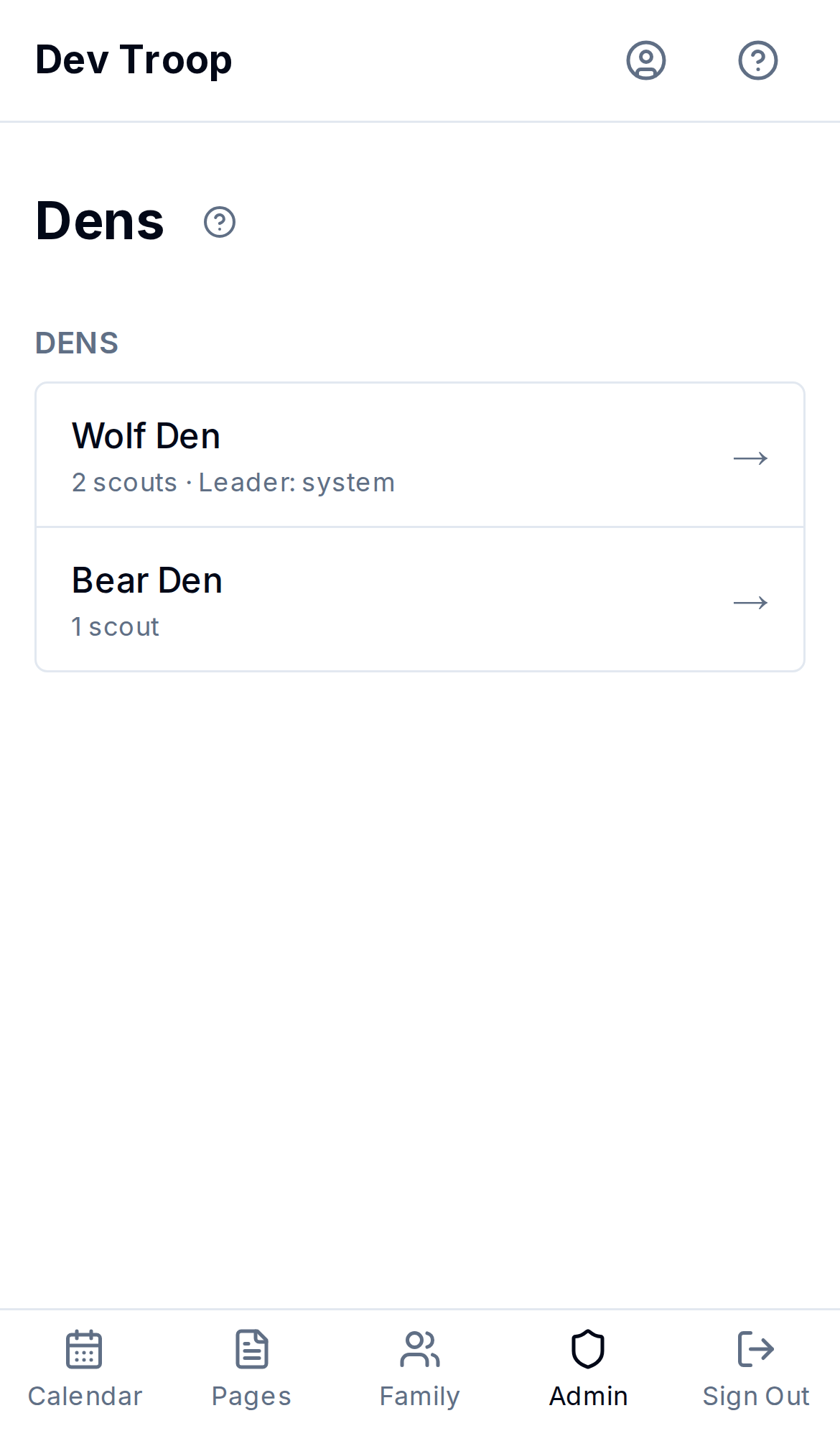
Cub Scouts: dens
A den isn't something you create — it's automatic. A scout's den is just their rank. Every scout with the Wolf rank is in the Wolf den; there's no separate den record to add, rename, or delete. To move a scout to a different den, use Assign Scouts (see Assigning scouts below) or change their rank from Admin > Scouts — either way the den follows the rank.
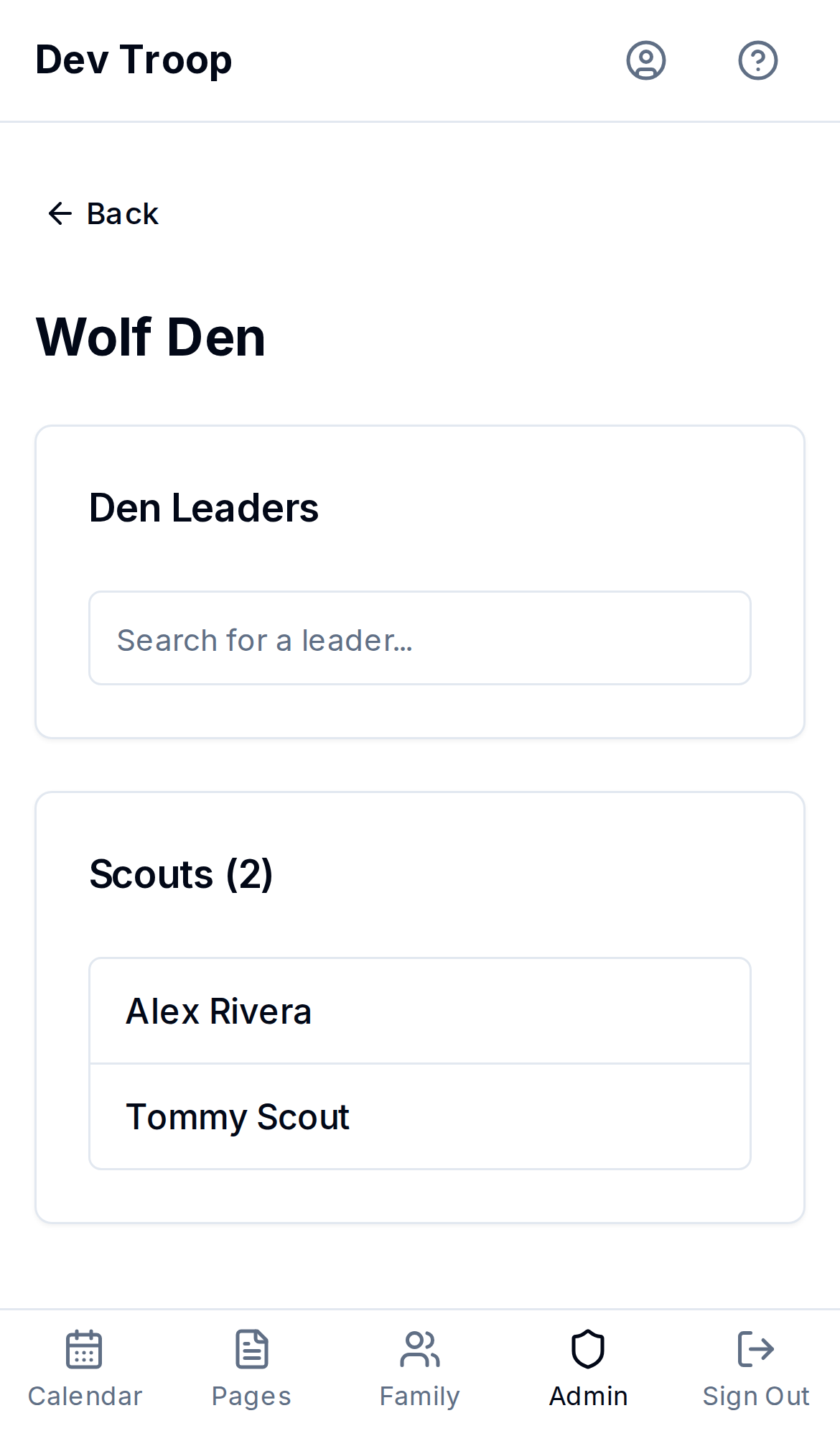
What you can do here is assign den leaders — one or more troop adults (any user, not just scouts) responsible for a rank. On a den's page:
- Search for a leader in the Den Leaders box and select them. You can add more than one.
- Click Save Leaders.
A den with no scouts at that rank yet just says so — nothing to configure until someone has that rank.
Scouts BSA: patrols
Patrols are real records you create, name, and can delete.
Creating a patrol
- Click New Patrol.
- Enter a Patrol Name (e.g. "Eagle Patrol").
- Click Create Patrol.
Patrol leadership
A patrol can have several leadership positions: Patrol Leader, Assistant Patrol Leader, and any patrol positions your troop adds, like Grubmaster (see Leadership positions). The patrol's page has a Patrol Leadership section that lists each one with who holds it, or Open if nobody does.
To assign them:
- Open the patrol and find the Scout under Members.
- Tap Positions, tick each patrol position they hold, and tap Save.
This only changes their patrol positions. Troop positions, like Senior Patrol Leader, stay as they are. If a Scout moves to another patrol, their patrol positions are cleared.
Moving scouts in and out of a patrol
The quickest way is Assign Scouts (see Assigning scouts below), which shows every patrol at once. You can also open one patrol and use + Add Scout to add a scout, or click Remove next to a member to unassign them. Removing a scout from a patrol doesn't delete the scout — it just leaves them unassigned until you pick a new one.
Renaming or deleting a patrol
Open the patrol, change the name under Edit Patrol, and Save Changes. Delete Patrol removes the patrol record but leaves its scouts in place — they just lose their patrol assignment and show up as Unassigned on the list page.
Assigning scouts
Tap Assign Scouts at the top of the page, or tap the Unassigned row at the bottom of the list. Unassigned shows any scout without a patrol (Scouts BSA) or without a Cub Scout rank (Cub Scouts).
The Assign Scouts screen shows Unassigned first, then one box per patrol or den, with every scout in the box they're in now. To move a scout:
- Pick from the list on their card and choose where they go. This is the easiest way on a phone.
- Or drag them by the handle (⋮⋮) into another box. Dragging works best on a bigger screen. On a phone, picking from the list is quicker.
Each move saves right away. If a move can't be saved, the scout goes back where they were and you'll see why.
For dens, moving a scout into a den changes their rank to match. Every den is listed, even ones with no scouts yet. You can't move a scout back to Unassigned from here, because that would clear their rank. Do that from Admin > Scouts if you really mean it.
Who can do this
Admins and Leaders can create, rename, and delete patrols, set den leaders, and use Assign Scouts. Assigning a scout's rank (which determines their den) happens from Admin > Scouts, also Admin/Leader only.
Committee members can open this page too, but only to look: they see every den or patrol, its leaders, and the scouts in it (as View Scouts), with no way to change them.
A scout's rank always has to be one of your program's ranks: a Cub Scout pack can't give a scout a Scouts BSA rank, and the reverse.
Related articles
Adding and managing scouts
How to add a scout one at a time, edit their birthday/rank/den or patrol, move them to a different family, promote a group of scouts at once, or delete a scout.
Families — the unit MyTroop is built around
How users group into families, why scouts attach to families instead of individuals, and how to manage family membership.
Leadership positions
Record who holds each Scout and adult leadership position, add positions of your own, and use the mailing lists that follow each position.